Since Imangi Studios developed a revolutionary game called Temple Run, it halted all other businesses in mobile gaming world. Why not, the game has a good game-play very addictive graphics & time to time update which keeps up the interest of the player intact. But after this many of the game developers started juggling their heads to keep up the competition with this. Many failed while many were quite successful. Here are some few successful Android games (some of them are available for iOS or Windows maybe) which received quite good critics & user's reviews.
1. VECTOR
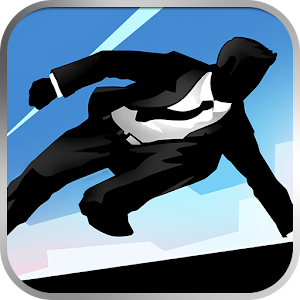 Vector is an exciting, arcade-style game featuring you as the exceptional free runner who won’t be held down by the system. The game opens with a view into a totalitarian world where freedom and individually is nothing more than a distant dream. But the heart of a freerunner is strong, and you soon break free. Run, vault, slide and climb using extraordinary techniques based on the urban ninja sport of Parkour all while being chased by “Big Brother” who’s sole purpose is to capture you and bring you back.
Inspired by the practice and principles of Parkour, Vector’s intuitive controls please players of all levels, and sophisticated level designs challenge the most demanding players with fast-paced timing puzzles as the traceur “flows” over the dystopian rooftops.
Play Store link: https://play.google.com/store/apps/details?id=com.nekki.vector
2. DR. DRIVING
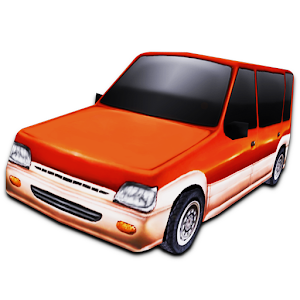
Dr. Parking came back as Dr. Driving!
Dr. Driving drives you crazy! Burn up the street with the fastest and most visually stunning edition of the Dr. Parking series. Drive your car through the streets completing missions & breaking records. Mark the lanes, there are coins for that. Unlock & upgrade your vehicle So get ready to test your real driving skills
Play Store link: https://play.google.com/store/apps/details?id=com.ansangha.drdriving
3. DADDY WAS A THEIF
Bank staff is usually friendly and polite. This time something went wrong! Gain as much money as you can! Hurry! Everyone try to catch you, but you are clever, aren’t you? Find combo speed boosts, shortcuts and grab power-ups to survive.
"Losing your moral fiber has never been so easy nor, thanks to Daddy Was A Thief's cartoony visuals, adorable" Androidpolice
"This one's pretty simple and casual, and its lighthearted feel and graphics make it great for all ages" Appolicious
Awesome FEATURES:
- Smashable obstacles: walls, furnitures and more! Gain as much destructions as you can! Crash through walls, floors and watch the pieces fly all over!
- Playable thieves and crazy power-ups to unlock
- Different every time you play!
- Just one finger control! (swipe up and down) Quick pick-up-and-play
- Many achievements to earn
Play Store link: https://play.google.com/store/apps/details?id=com.rebeltwins.daddywasathief
4. JETPACK JOYRIDE
Join Barry as he breaks in to a secret laboratory to commandeer the experimental jetpacks from the clutches of science evildoers. After lift-off, simply touch the screen to ascend and release to descend, raining bullets, bubbles, rainbows and lasers downwards as you fly towards higher and higher scores!
You'll start off with the legendary Machine Gun Jetpack to scatter the evil scientists of Legitimate Research, but throughout each game you'll collect coins and complete missions to earn cash and buy new gear in The Stash! Pick your favorite jetpack, snazzy outfit and stock up on items then get back out there!
Get a boost of speed and power using the Lil' Stomper, Profit Bird and Crazy Freaking Teleporter, just a selection of the vehicles pickups available - all playable with one touch controls.
Stay alive, get funky and lose yourself in Jetpack Joyride. There's so much to see and do, all the time in the world and more than enough jetpacks! As always, Barry Steakfries will provide!
Play Store link: https://play.google.com/store/apps/details?id=com.halfbrick.jetpackjoyride
5. HIGHWAY RIDER
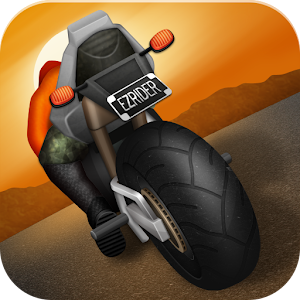
Speed junkies, slap on your helmet and experience some high-octane action! Zoom down the open highway and try to pass closely without crashing. Be stupidly irresponsible by breaking all your bones.
All you have to do is:
- Tilt to Steer your Bike
- Drive Close to Vehicles to Score
- Embrace the High Speeds!
In Highway Rider, being daring and passing close to vehicles increases your speed and your score. Be careful with your maneuvering though, crashing hurts! Collect pictures of your crushing accidents. Customize your own rider to give them a personal touch!
Play Store link: https://play.google.com/store/apps/details?id=com.batteryacid.highwayrider
6. MANU GANU
PURE ACTION
Run, jump and slide from ropes, dodge rocks! Not enough? There is much more in Manuganu. Avoid swinging hammers and jump over moving ice blocks. Don’t get burned and jump between walls to collect coins and medallions. Break stone blocks and activate platforms before you fall into fog and much more...
A RUNNING ADVENTURE
Manuganu is a 3D side- scroller running game, in which you control the boy “Manuganu”.
Unlike other usual running games, Manuganu brings on the “Halt feature” to avoid swinging rocks, hammers, flames and other enemies with the right timing. Another important feature of Manuganu is the ability to switch from “running” mode to “rope climbing” mode when needed. But be careful! This mode has its own challenges.
Play Store link: https://play.google.com/store/apps/details?id=com.Alper.Manuganu
7. BEACH BUGGY BLITZ
Drive your hot-rod beach buggy as far as you can into the uncharted depths of a mysterious tropical island!
Swerve and smash through a gorgeously detailed and completely destructible world packed with Tiki statues, grass shacks, giant crabs, lava monsters...even yetis! Explore sun-swept beaches, secret caves, fog-shrouded swamps, ruined temples and erupting volcanoes in this action-packed quest of discovery and mayhem!
Build a performance-boosting collection of upgrades and powerups! Unlock new vehicles like the Lightning muscle car and Rock Stomper monster truck. Upgrade your cars and customize their paint jobs. Collect wacky new characters. Unlock and upgrade amazing powerups like the fire-spitting Boost, the coin-tastic Coin Bubble, and a Shield that turns you into a unstoppable smash-everything force of destruction!
Play Store link: https://play.google.com/store/apps/details?id=com.vectorunit.yellow
8. HILL CLIMB RACING
One of the most addictive and entertaining physics based driving game ever made for Android! And it's free!
Meet Newton Bill, the young aspiring uphill racer. He is about to embark on a journey that takes him to where no ride has ever been before. With little respect to the laws of physics, Newton Bill will not rest until he has conquered the highest hills up on the moon!
Face the challenges of unique hill climbing environments with many different cars. Gain bonuses from daring tricks and collect coins to upgrade your car and reach even higher distances. Watch out though - Bill's stout neck is not what it used to be when he was a kid! And his good ol' gasoline crematorium will easily run out of fuel
Play Store link: https://play.google.com/store/apps/details?id=com.fingersoft.hillclimb
9. WHERE'S MY WATER?
Help Swampy by guiding water to his broken shower. Each level is a challenging physics-based puzzle with amazing life-like mechanics. Cut through dirt and guide fresh water, dirty water, toxic water, steam, and ooze through increasingly challenging scenarios! Every drop counts!
SWAMPY’S STORY
Swampy the Alligator lives in the sewers under the city. He’s a little different from the other alligators – he’s curious, friendly, and loves taking a nice long shower after a hard day at work. But there’s trouble with the pipes and Swampy needs your help getting water to his shower!
Play Store link: https://play.google.com/store/apps/details?id=com.disney.WMWLite
10. GLOW HOCKEY
 Glow Hockey delivers a new style of hockey game. Easy to play, hard to master. Challenge yourself with the computer opponents!
FEATURES:
+ 2-player mode (on the same device).
+ Colorful glow graphics.
+ Smooth and responsive game play.
+ Realistic physics.
+ Quick play mode (single player), challenge yourself with 4 difficulty levels (easy to insane).
+ 4 selectable paddles and pucks.
+ Vibrate when goal.
+ Support almost all Android devices for mips, x86, armeabi, and armeabi-v7a.
Play Store link: https://play.google.com/store/apps/details?id=com.natenai.glowhockey
Click on the link to download apks for these games from my Google Drive.










- Follow Me on Twitter!
- "Add Me on Facebook!
- RSS
Contact